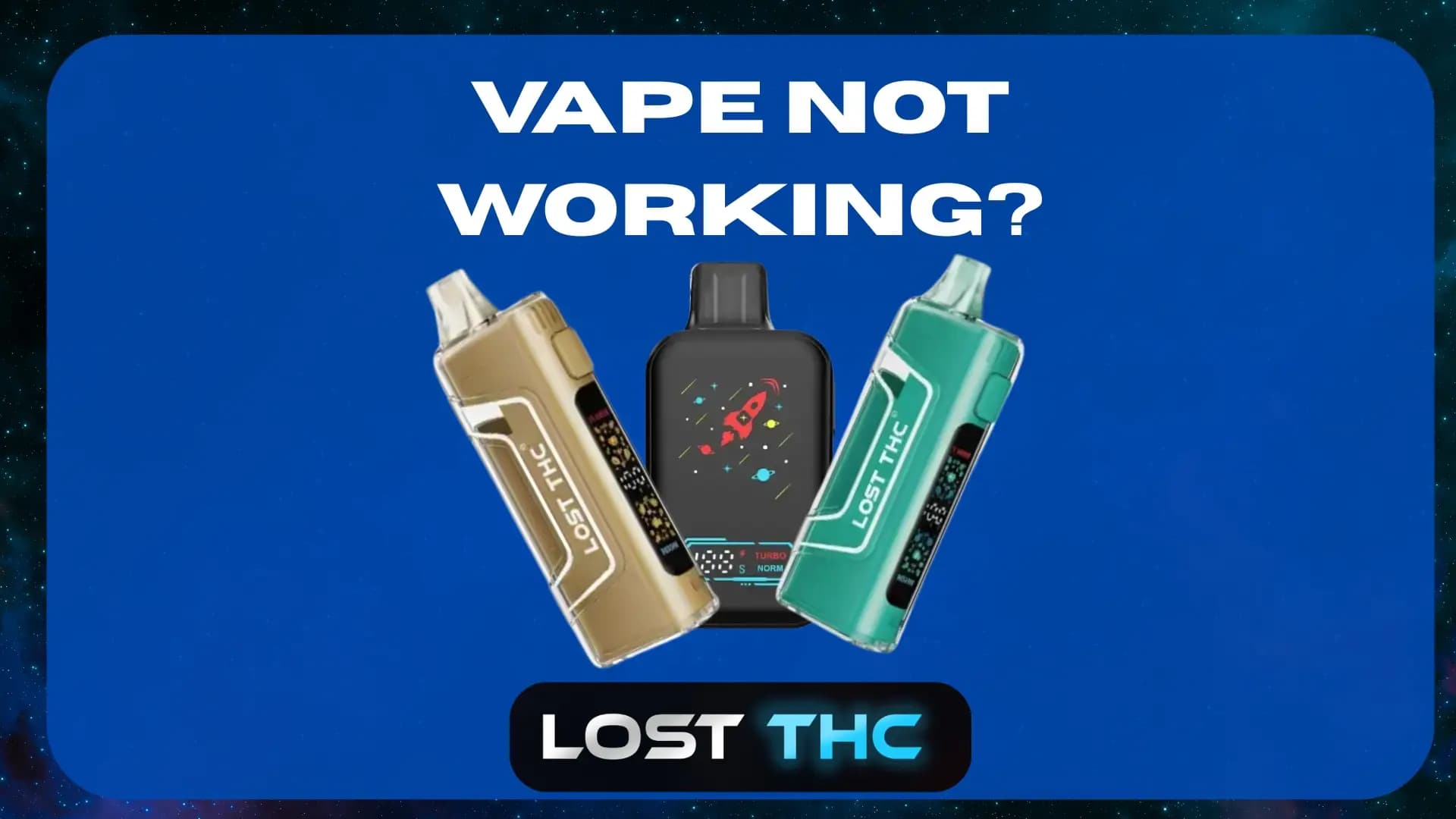
If your Lost THC vape isn’t working, it’s usually one of a few simple things: a low battery, a clog, blocked airflow, or a connection issue. The good news is that most problems can be fixed in a couple of minutes without tools.
This guide walks you through a step-by-step troubleshooting process, plus how to prevent issues and how to check authenticity so you know you’re using a real Lost THC device.
Quick safety note first
-
For adults 21+ only.
-
If your device is hot to the touch, swollen, smells like burning plastic, or you see liquid leaking heavily, stop using it and set it aside. Those are signs something is wrong beyond a clog.
-
Never try to open the device, puncture it, or “jump” the battery.
Step 1: Identify what the issue is
Before you start, figure out which of these sounds like your situation. The fix depends on the symptom.
A) No power at all
-
No light, no screen, no vibration, nothing.
B) It turns on but won’t hit
-
You inhale and nothing happens.
C) Airflow is blocked
-
You can’t pull air through, or it feels like sucking a milkshake.
D) It hits but tastes burnt
-
Harsh, burnt, or “dry” taste.
E) It blinks and stops
-
Blinking light or an error indicator.
F) Weak hits
-
It works, but barely. Thin vapor, weak flavor.
Pick the closest match and follow the steps in order. Don’t skip ahead.
Step 2: Do the 60-second quick checks (fixes a lot of cases)
These are the most common causes when someone searches “Lost THC vape not working.”
1) Charge it for 15 to 30 minutes
Even if you think it is charged.
-
Use a quality USB power source (computer USB port or a trusted wall block).
-
Avoid super-cheap cables. Swap the cable if the device does not respond.
-
If your device has a screen, confirm it shows charging.
What you’re looking for:
A charging icon, light indicator, or any sign of life.
If nothing changes, go to Step 3.
2) Check the mouthpiece for blockage
Sometimes a tiny bit of oil condensation blocks airflow.
-
Wipe the mouthpiece with a dry tissue.
-
Use a cotton swab around the opening (do not push anything deep into the airway).
3) Take 2 gentle “primer pulls” without activating
If your device is draw-activated, take two light pulls like you’re sipping through a straw. This can help clear a minor clog.
If it still won’t hit, go to the symptom steps below.
Step 3: If the Lost THC vape has no power
1) Try a different cable and a different power source
This sounds basic, but it is the most overlooked.
-
Cable A + Wall block A
-
Cable B + Wall block A
-
Cable B + Computer USB
If it turns on after swapping, the device was fine. The cable or block was the problem.
2) Clean the charging port gently
Lint can stop charging.
-
Use a dry soft brush or a toothpick carefully around the edges.
-
Do not use metal objects aggressively.
-
Do not spray liquid into the port.
3) Look for charging behavior
Some devices may take a minute to show life if the battery is deeply drained. Leave it plugged in for 30 minutes, then check again.
4) If it still shows zero signs of life
At this point, you might be dealing with:
-
a dead battery
-
internal hardware failure
-
or a counterfeit device with lower-quality components
Skip to the Authenticity Check section, then contact support if needed.
Step 4: If it turns on but won’t hit
This is usually airflow or a clog.
1) Try the lowest heat setting (if adjustable)
If your Lost THC device has settings:
-
Start low. Higher heat can make clogs worse if the oil is not moving correctly.
-
If there is a preheat mode, use it (see below).
2) Use preheat the right way
Preheat is meant to loosen thick oil, not cook it.
-
Run one preheat cycle
-
Wait 30 to 60 seconds
-
Take a gentle pull
If needed, run one more preheat, then stop and reassess.
If you spam preheat over and over, you can flood the coil or overheat the oil, which creates new problems.
3) Warm the device slightly (safe method)
Oil thickens when it is cold. If you left it in a car, near AC, or in a cold room, it can clog.
Safe warming method:
-
Hold it in your hand for 2 to 3 minutes
-
Put it in your pocket for 5 to 10 minutes
Avoid:
-
Hair dryers
-
direct sunlight for long periods
-
placing it near a heater
-
leaving it on a hot dashboard
4) Check airflow paths
Some devices have airflow holes on the side or bottom. Make sure they are not covered by your fingers when you inhale.
5) If it still won’t hit
Go to Step 5 (clog troubleshooting).
Step 5: If airflow is blocked or it feels clogged
A clog is the #1 reason a Lost THC vape “stops working” mid-device.
What causes clogs?
-
Thick oil settling near the airway
-
Cold temperatures
-
Hard pulls pulling oil into the airway
-
Storing the device on its side
Step-by-step unclog process
1) Do not rip it
Hard pulls usually make it worse.
2) Preheat once, then wait
-
Run 1 preheat cycle
-
Wait 30 to 60 seconds
3) Do 3 gentle pulls
Think “slow sip,” not “vacuum cleaner.”
4) Clear condensation at the mouthpiece
-
Wipe the mouthpiece
-
Use a cotton swab around the opening
5) Repeat once only
If you repeat the process once and it is still fully blocked, stop. Repeating over and over can cause oil to flood the coil.
If it finally hits but pops or spits
That can happen when a clog releases and oil moves quickly. Use a lower setting and gentle pulls for the next few hits.
Step 6: If it hits but tastes burnt
A burnt hit usually means the coil got too hot or the coil area is not properly saturated.
What to do immediately
-
Stop using it for a few minutes
-
Lower the heat setting (if possible)
-
Take smaller pulls
Common reasons for burnt taste
-
Chain hitting back-to-back without giving the coil time to cool
-
Using the highest mode constantly
-
Oil level too low in the tank area (on certain devices)
-
A defective coil
Can a burnt coil be fixed?
Sometimes you can reduce the harshness by:
-
taking a break
-
lowering heat
-
using shorter pulls
But if the burnt taste is strong and constant, that coil may be done. Continuing to hit it will not magically improve it.
Step 7: If it blinks, flashes, or shows an error
Blink patterns vary by model, but these are the usual meanings:
-
Low battery: charge it
-
Short circuit or connection fault: stop using, do not force it
-
Overheat protection: let it cool 10 to 15 minutes
-
Auto-cutoff: your pull is too long, shorten it
If your device repeatedly errors after charging and cooling, that points to hardware failure or a counterfeit.
Step 8: If the hits are weak
Weak vapor is usually one of these:
-
battery is low
-
oil is cold and thick
-
airflow is partially blocked
-
you are using too low a setting for that oil
Try this order:
-
Charge 15 to 30 minutes
-
Warm device in your hand
-
Preheat once
-
Increase heat by one level
-
Take a slow, steady pull for 2 to 4 seconds
If you need to pull for 8 seconds to get anything, something is off. Go back to clog steps.
How to prevent Lost THC vape issues
Once it is working again, these habits keep it working.
1) Store it upright when you can
Keeping it upright reduces oil settling into the airway.
2) Avoid cold storage
Cold oil = thick oil = clogs.
If you are in a cold place, warm it in your hands before the first hit.
3) Take “sip” pulls, not “rip” pulls
Strong vacuum-style hits pull oil into places it should not go.
4) Do not chain hit on high mode
A good rhythm:
-
1 pull
-
wait 20 to 40 seconds
-
next pull
5) Use preheat as maintenance, not as a weapon
Preheat is best used:
-
before the first hit of the day
-
after the device has been cold
-
when airflow starts to tighten slightly
Not:
-
every single hit
-
multiple times in a row to “force it”
6) Keep the mouthpiece clean
A quick wipe every so often prevents buildup.
Make sure your Lost THC vape is authentic
If your Lost THC vape isn’t working, authenticity matters. Counterfeit devices often use cheaper hardware, inconsistent oil, and poor airflow design, which leads to dead batteries, clogs, and burnt coils way faster.
Signs your device might not be authentic
-
Packaging looks off (blurred print, weird colors, low-quality box)
-
Misspellings or inconsistent branding
-
No batch info, no verification method, no legitimacy check
-
The oil tastes unusually harsh or “chemical”
-
Hardware feels flimsy or the charging port is loose out of the box
-
You bought it from a random marketplace listing or an unauthorized seller
Best ways to protect yourself
-
Buy from official sources
If you want the simplest path: order direct from the official LostTHC.com or verified retailers. -
Check packaging details closely
-
Consistent logo placement
-
Clean printing
-
No typos
-
Proper warnings and product identifiers
What to do if you suspect it’s counterfeit
-
Stop using it.
-
Take clear photos of the device and packaging.
-
Reach out to Lost THC support with where you bought it and what issues you’re having.
This helps you and it helps keep counterfeit products out of the market.
Read Our Brand Protection page to stay safe from counterfeits.
FAQ: Lost THC vape not working
Why is my Lost THC vape clogged even though it’s new?
New devices can still clog if they were stored cold or shipped through cold temperatures. A single preheat cycle and gentle pulls usually fixes it.
My vape charges but won’t hit. What does that mean?
Most often it is airflow blockage or a clog. Follow the clog steps, and make sure you are not covering airflow holes with your fingers.
Can I fix a burnt taste?
Sometimes lowering heat and slowing down helps. If the burnt taste is strong and permanent, the coil may be damaged.
Should I try to open the device and fix it?
No. That is unsafe and usually voids support options.